WLED Max: WLED App for iOS and Android
WLED Max is a WLED app for iOS and Android that finds the WLED lights on your Wi-Fi and controls them from your phone. Preview 180+ effects live and apply them with one tap, shape your segments exactly, and reach every WLED setting.
Free with every feature for one WLED device · one-time upgrade for unlimited devices, no subscription
Requires a WLED-powered ESP32 or ESP8266 device
WLED Max is an independent app and is not affiliated with or endorsed by the official WLED project.

Patterns, palettes and alerts
Build holiday patterns in a few taps, pull colors from a photo, and have your lights flash when something happens. Help for each section is a tap away too.
Repeating patterns, made easy
Make repeating patterns like 2 red, 1 white, or start from 34 ready-made templates like Classic Christmas, Candy Cane, Diwali Diyas and Halloween. Add motion and save it as a preset.
Pattern guideColors from a photo
Turn a photo into colors and try them on your lights before you save. A sunset or a favorite picture can become the colors on your lights.
Lights that tell you things
Flash your lights, then they go back to what they were doing. On iPhone and iPad, run alerts from the Shortcuts app when someone texts, an alarm rings or you tap an NFC tag with your iPhone, and for the doorbell with Sound Recognition. On Android, run them from your home screen, Tasker or MacroDroid.
Set up Light AlertsGuides built in
Tap the ? next to a section to open its guide, even offline. If you know your way around, turn the ? buttons off in Settings, under Appearance.
Presets your way
Give presets a color or an emoji so you can spot them fast, and pick up to 10 to show on the Control tab.
iCloud sync (iOS)
Your lights and groups sync with iCloud, so a new iPhone or your iPad is ready without setting everything up again.
Playlist editing
Edit your playlists in the app and turn on Shuffle to mix up the order.
Effect favorites
Add the effects you love to Favorites and use the Favorites filter to find them right away.
Safer restore
Restoring a backup to a different light is safer now, so you can reuse a setup you like on another light.
All Your WLED Devices, One App
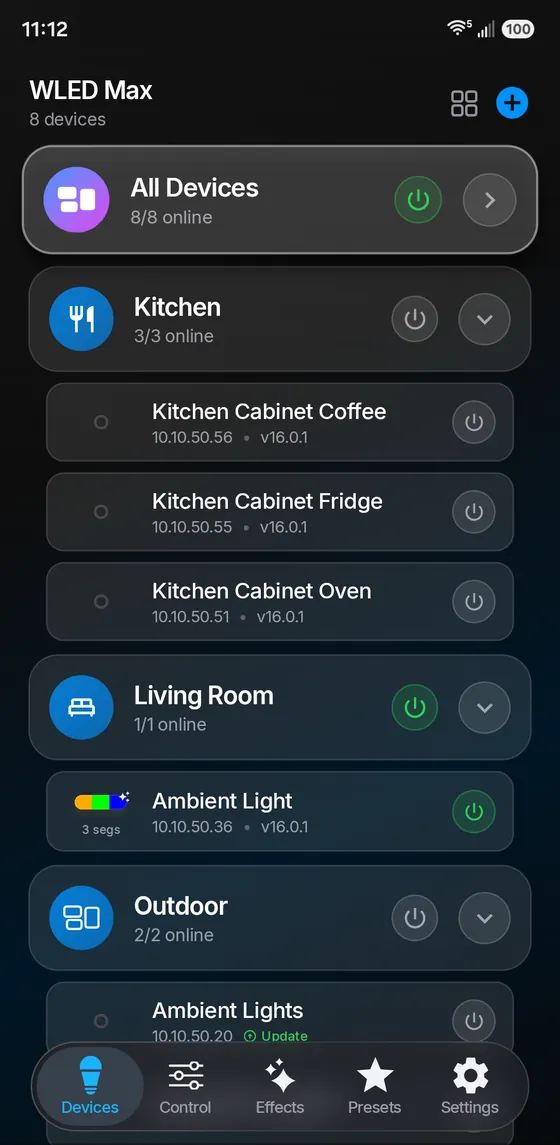
Manage every WLED device from one list. Put them into groups like Kitchen, Living Room or Outdoor, turn a whole group on with one tap, or open any single device. A device can be in more than one group.
Finds Your Devices
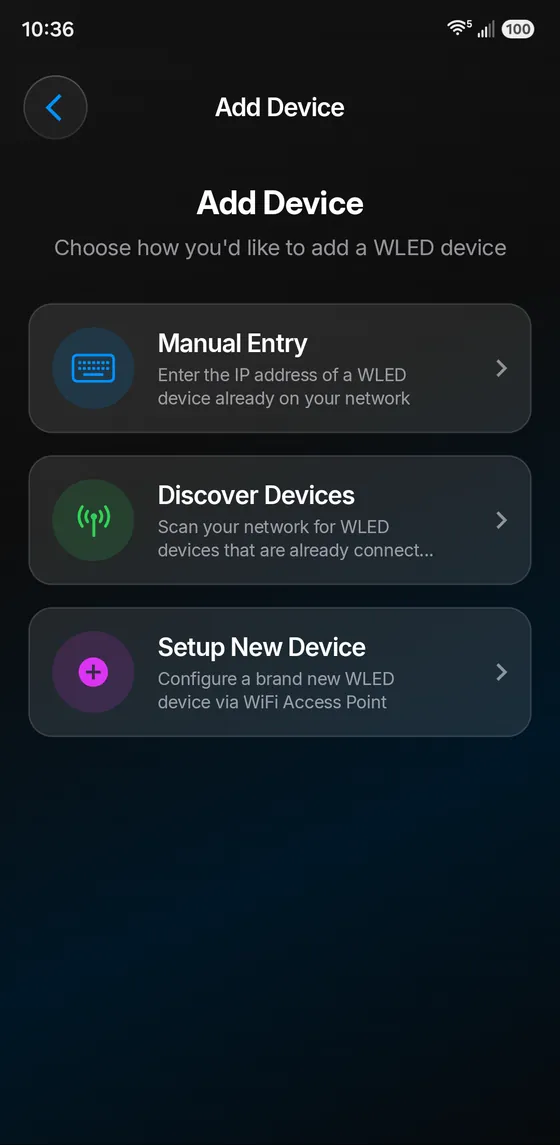
Tap Discover Devices and the WLED devices on your network appear on their own, with no IP addresses to remember. You can also enter an address by hand, or set up a brand new WLED board through its Wi-Fi access point. On iPhone and iPad, built-in Local Network help gets you past the permission step.
Everything Within Reach
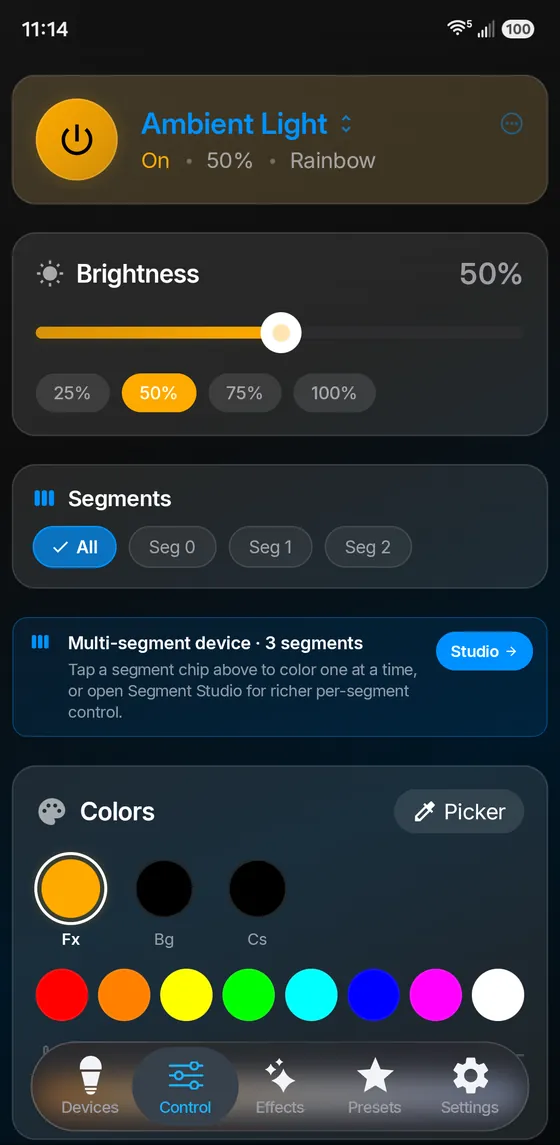
Power, brightness, segments and colors on one screen, with changes on your lights right away. Pick a segment to color it on its own, use the color wheel or quick swatches, and set warm or cool white on CCT lights.
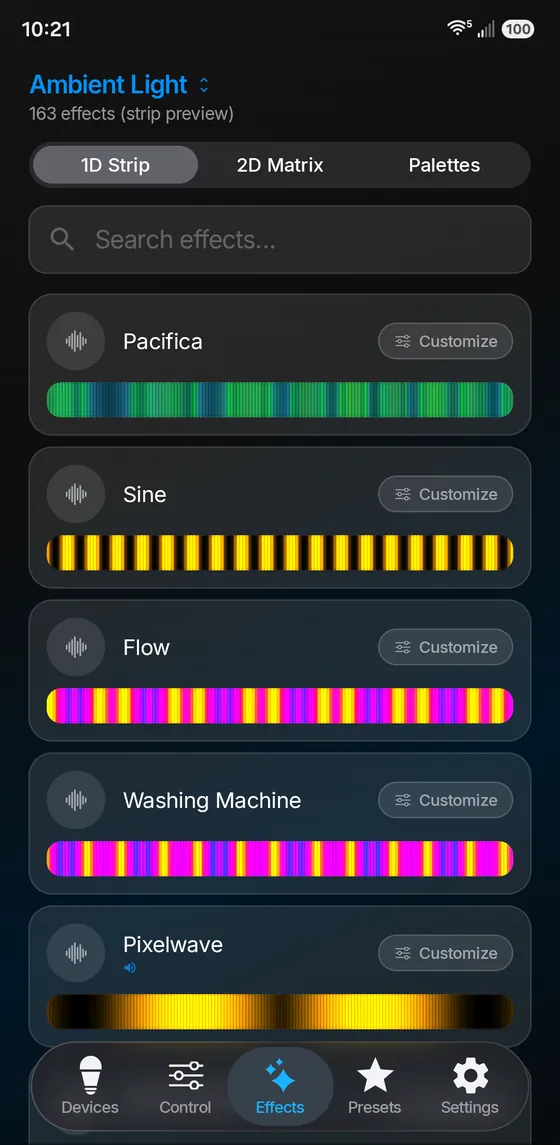
Every WLED Effect, Previewed Live
Browse all the effects your firmware has, each with a live preview. Search by name, filter by Volume, Frequency or Matrix-native, and hide the ones you never use. Customize speed, intensity, palette and colors, and the preview follows along.
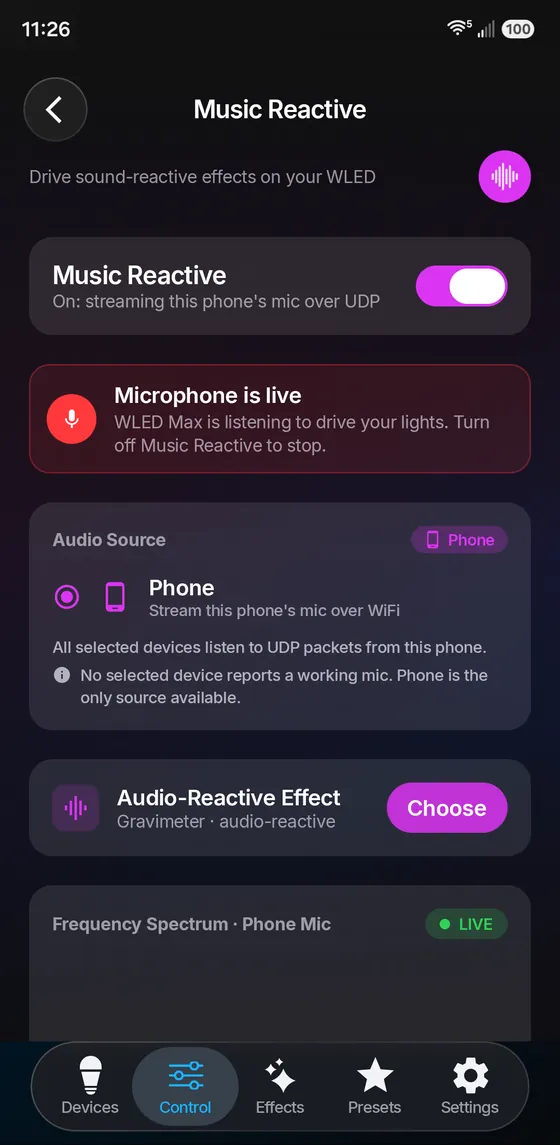
Lights That Listen
Use your phone as the microphone. WLED Max streams what it hears to WLED audio sync, so your lights pulse to the music in the room. This needs a WLED build with audio reactive support.
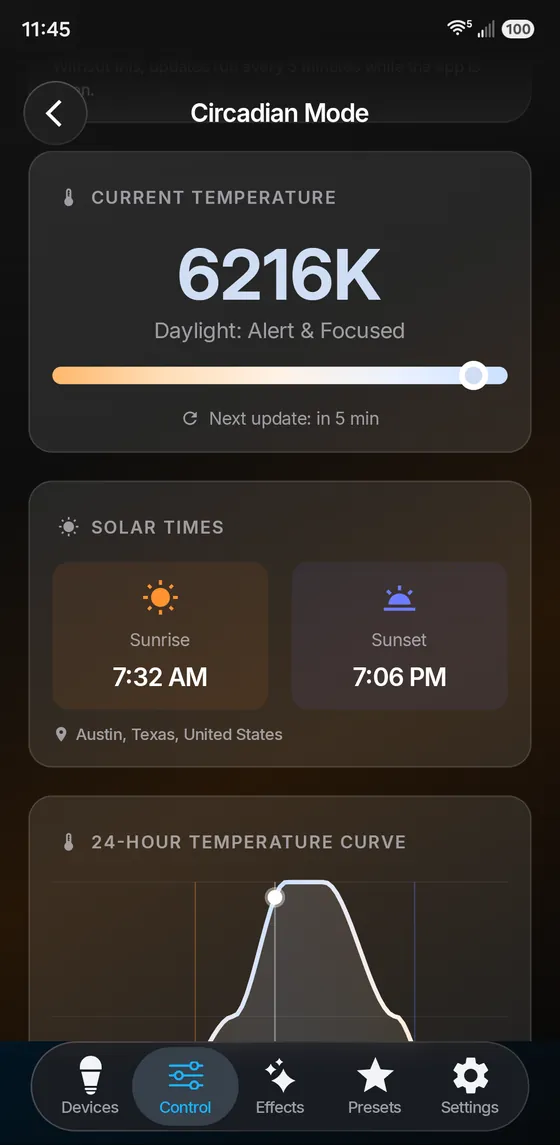
Follow The Sun
Circadian mode shifts your lights from cool daylight to warm evening light through the day, based on sunrise and sunset where you live. Schedules can follow sunrise and sunset too.
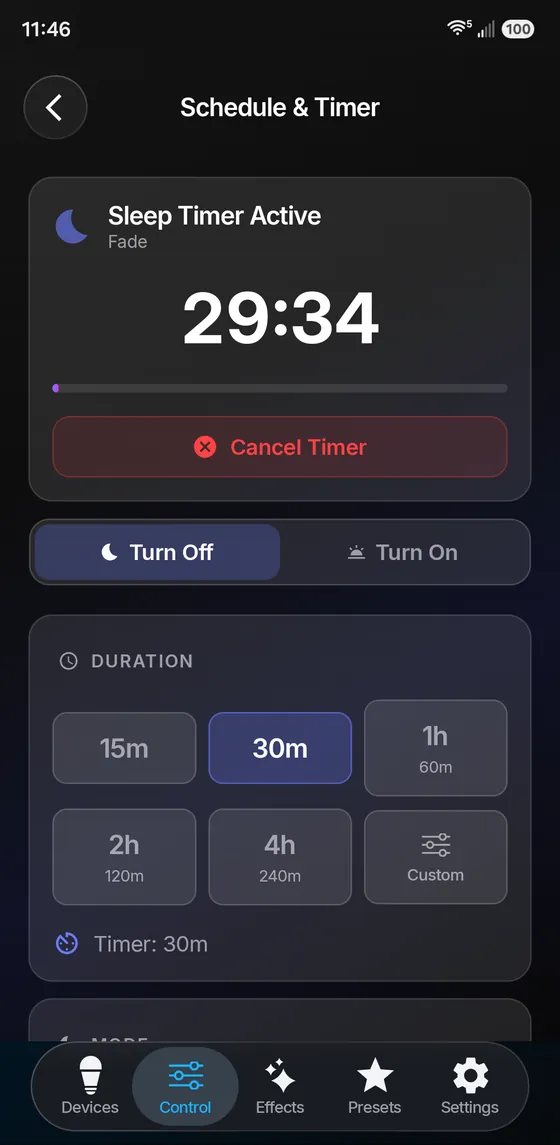
Set It And Forget It
Fall asleep with a sleep timer that turns the lights off or fades them out. Daily schedules turn lights on and off at a set time, or at sunrise and sunset.
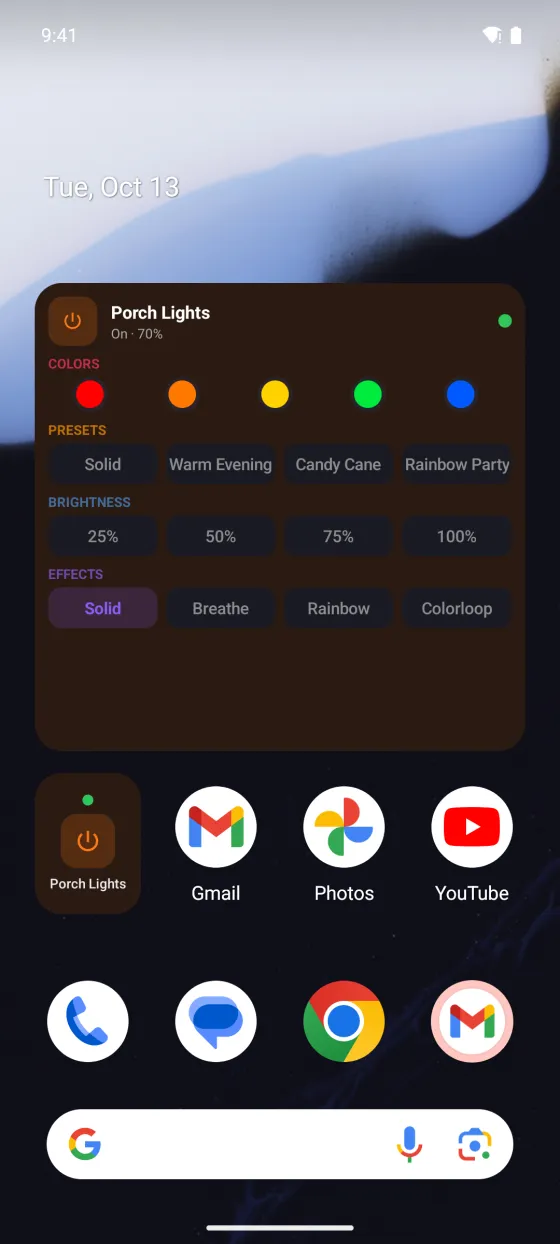
Right From Your Home Screen
Home screen widgets on iOS and Android put power, colors, presets, brightness and effects one tap away. On iPhone and iPad, Siri and Shortcuts can run your lights. On Android, a Quick Settings tile does the same from the notification shade.
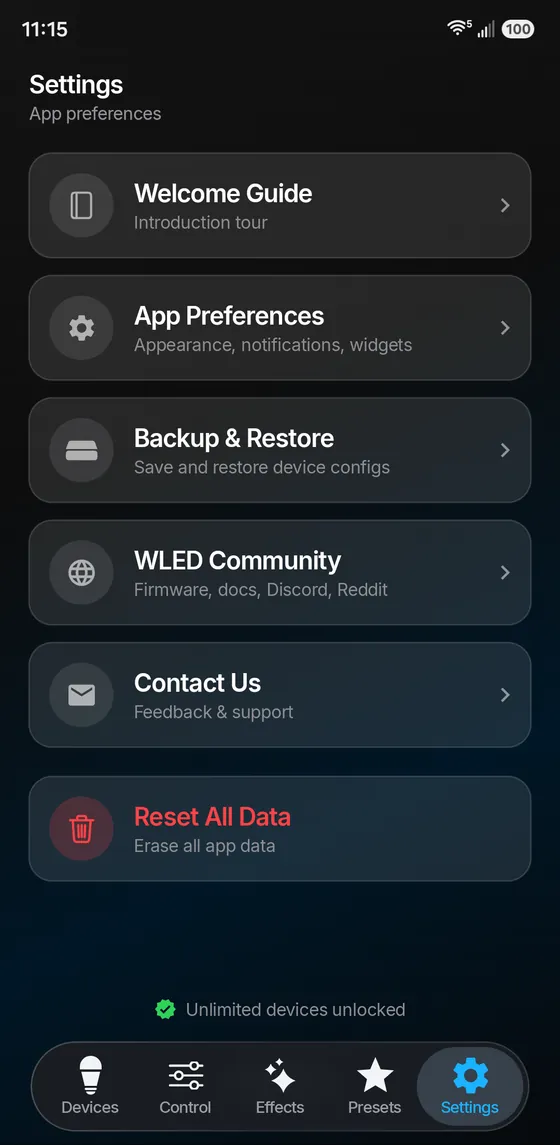
Built For Your Setup
Back up and restore your WLED devices, and export your app data to a file you keep. A welcome guide shows new users around, Contact Us reaches us directly, and the full WLED device settings are built into the app.
The Whole WLED Toolbox
The deeper settings are in the app too, so you rarely need the web interface.
Full WLED settings
Wi-Fi, LED preferences, 2D setup, sync, time, schedules, usermods and security, all native in the app.
Firmware updates
Update WLED over the air from your phone, no computer needed. We pick the right build for your board.
Backup & Restore
Save device configs and presets, and export your app data so you can move to a new phone.
Learn WLED
Our free guides cover WLED itself, with or without our app.
Built Native
Not a web wrapper. Fully native apps for iOS and Android, designed for each platform.
Auto Discovery
Finds WLED devices on your network automatically. No manual IP entry required.
Local and Live
The app talks to your lights directly over your Wi-Fi, so changes show up right away. No cloud account needed.
Native & Fast
Designed for iOS and Android, with smooth animations on both.
Simple Pricing
Every feature is free. You only pay if you want more than one WLED device.
One WLED device
- Every feature in the app
- No account needed
- Upgrade any time from the app
Unlimited devices
- One-time purchase, no subscription
- Restore it on your other phones and tablets
- Price shown in the App Store or Google Play
Compatible Hardware
Works with any device running WLED firmware. That's hundreds of ESP32 and ESP8266 boards.
ESP32
Full feature support including multiple segments, large LED counts, and sound reactive effects.
ESP8266
Works great for smaller setups. Supports core features including effects, presets, and segments.
LED Strips
WS2812B, WS2811, SK6812, APA102, and more. RGB, RGBW, CCT and addressable strips all supported.
Requirements
Mobile Device
- iPhone or iPad (iOS 17 or later)
- Android phone or tablet (Android 9 or later)
- Same Wi-Fi network as your WLED devices
WLED Hardware
- ESP32 or ESP8266 running WLED firmware
- WLED version 0.14.0 or newer recommended
- Music Reactive needs a WLED build with audio reactive support
Download WLED Max
Get WLED Max free on iOS and Android. Take full control of your WLED lights today.
Frequently Asked Questions
What is WLED Max?
WLED Max is a native app for iOS and Android that controls LED lights running WLED firmware. It finds your WLED devices automatically, previews 180+ effects live and applies them with one tap, and gives you Pattern Maker, Snap a Palette, Light Alerts, Segment Studio, presets and playlists, Music Reactive with your phone microphone, Circadian mode, schedules, firmware updates, home screen widgets and the full WLED device settings.
What is new in WLED Max 1.1.4?
Pattern Maker makes repeating patterns like 2 red, 1 white, with 34 ready-made templates for holidays like Christmas, Diwali and Halloween. Snap a Palette turns a photo into colors you can try on your lights before you save. Light Alerts flash your lights and then put them back the way they were: on iPhone and iPad you run them with the Shortcuts app (texts, alarms, NFC tags on iPhone, and the doorbell with Sound Recognition), and on Android from your home screen, Tasker or MacroDroid. A ? button next to each section opens its guide, even offline, and you can turn the buttons off in Settings, under Appearance. Presets can have a color or an emoji, playlists can be edited and shuffled, and effects have a Favorites filter. On iOS your lights and groups sync with iCloud. Restoring a backup to a different light is safer too.
What hardware does WLED Max work with?
WLED Max works with ESP32 and ESP8266 boards running WLED firmware (version 0.14.0 or newer recommended). It supports WS2812B, WS2811, SK6812, APA102 and the other addressable RGB and RGBW LED types WLED supports. Music Reactive needs a WLED build with audio reactive support.
Is WLED Max free?
Yes. WLED Max is free with every feature for one WLED device. To use more devices, a one-time Premium upgrade lets you use unlimited devices. It is not a subscription, and the price is shown in the App Store or Google Play before you buy.
How is WLED Max different from the WLED web interface?
WLED Max is a native app for iOS and Android, not a web page in a wrapper. On top of the WLED settings, it adds multi-device management with groups, automatic discovery, live effect previews, Music Reactive with your phone microphone, Circadian mode, home screen widgets, Siri and Shortcuts (iOS), a Quick Settings tile (Android) and firmware updates from your phone.
Does WLED Max support Android?
Yes. WLED Max is on the App Store for iPhone and iPad (iOS 17 or later) and on Google Play for Android (Android 9 or later). Both apps have the same core features. Siri and Shortcuts are iOS only, and the Quick Settings tile is Android only.
Is WLED Max made by the WLED project?
No. WLED Max is an independent app and is not affiliated with or endorsed by the official WLED project. It is made by MeowScript LLC. WLED is open-source firmware created by Aircoookie and its contributors.
Legal
WLED Max is made by MeowScript LLC. WLED is open-source firmware by Aircoookie and contributors. App Store is a service mark of Apple Inc. Google Play is a trademark of Google LLC.