WLED Apps in 2026: iOS, Android and Web Compared
A dated, honest comparison of the WLED web UI, the free WLED Native app, Home Assistant and WLED Max, including where our own app falls short.
Disclosure first: we make WLED Max, one of the apps in this comparison. WLED Max is an independent app and is not affiliated with or endorsed by the official WLED project. We have tried to describe every option the way we would want ours described, including where ours is weaker. Facts about other apps come from their store listings and documentation as of October 2026. Check them again before you decide, because apps change.
Quick answer: For free and complete control, the WLED web interface (built into every light) and the free WLED Native app (listed on the App Store as “WLED - Official App”) cover what most people need. If you already run Home Assistant, its WLED integration is the natural hub for automations. An app like WLED Max (free for one light, a one-time purchase for more) is worth it if you want things the free options don’t have, such as live effect previews in the app, widgets on iOS, holiday pattern tools, or flashing alerts. Which one fits depends on how many lights you have and what you want to automate.
The options
WLED web interface (free, any browser)
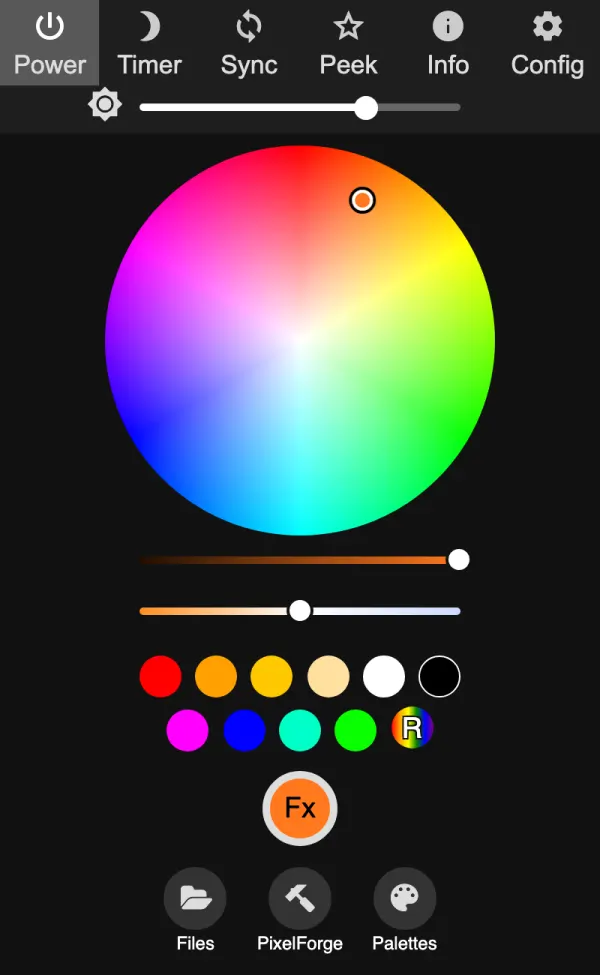
Every WLED light serves its own web page. Open its IP address in any browser on a phone, tablet or computer and you get the full interface: effects, palettes, segments, presets, playlists, and every setting under Config. It is maintained by the WLED project alongside the firmware, so new firmware features show up there first.
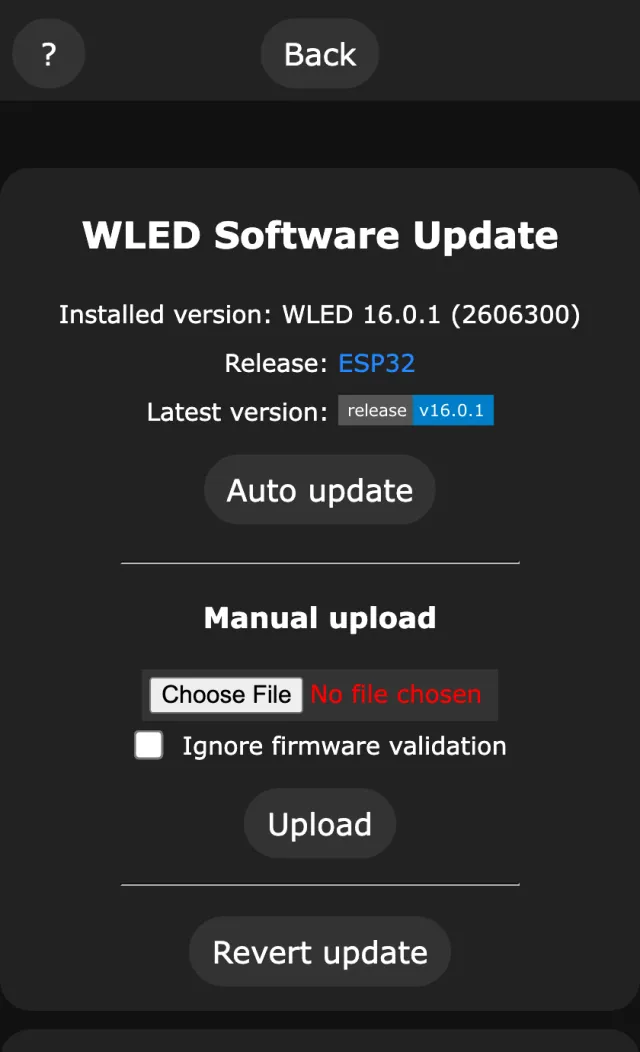
Strong points: free, nothing to install, always matches your firmware, every setting is there (including factory reset and file editing), a “Peek” live view of the strip, an OTA update page (WLED 16 adds an Auto update button that fetches the matching file from GitHub), and a Nodes list of the other WLED lights it hears on your network. Weak points: each light is controlled on its own page, so many lights means many tabs. The layout is built to fit everything, which makes it dense on a phone. No widgets or voice control.
WLED Native (free, official app, iOS and Android)
The free app made by community member Christophe Gagnier (Moustachauve). On the App Store it is now listed as “WLED - Official App”, and on Google Play simply as “WLED”. The older “WLED” app by Aircoookie is no longer maintained, and its README points to WLED Native. WLED Native finds your lights automatically with mDNS, lists them all in one place with custom names, and opens each light’s own WLED interface for control. Its listings mention a software update assistant for installing firmware updates. Version 7 (April 2026, 7.1 on iOS) added home screen widgets and Android device controls (quick settings) on Android, and OTA support for WLED 16 on iOS. Both apps are open source (Android Apache-2.0, iOS GPL-3.0).
Strong points: free, open source, simple, listed in the WLED docs as the official mobile app, and because it shows WLED’s own interface, everything the firmware can do is available. Widgets and quick settings controls on Android. Weak points: detailed control happens in the WLED web interface, so you get its density and its one-light-at-a-time model. No widgets on iOS, and no automation features of its own.
Home Assistant (free, self-hosted)
Home Assistant’s WLED integration is “local push”: it talks directly to the lights and gets updates over WebSocket. Every segment becomes a light entity (with WLED’s effects in the light’s effect list), presets, playlists and palettes become selects, and there is a firmware update entity and sensors for current draw, Wi-Fi signal and uptime. Discovery is automatic.
Strong points: the right tool for automations (motion, sunset, doorbell, presence), dashboards with all your lights next to everything else in the house, voice assistants through Home Assistant, remote access if you set it up. Weak points: you need a Home Assistant server and some time to set it up. Picking and tuning effects is clumsy compared with WLED’s own UI, because it’s a home automation system, not a lighting editor.
WLED Max (free for one light, paid upgrade, iOS and Android)
Our app (product page). A native app for iOS (17 and later) and Android (9 and later). Free with every feature for one light, and a one-time purchase adds unlimited lights. No account, no cloud, no ads.
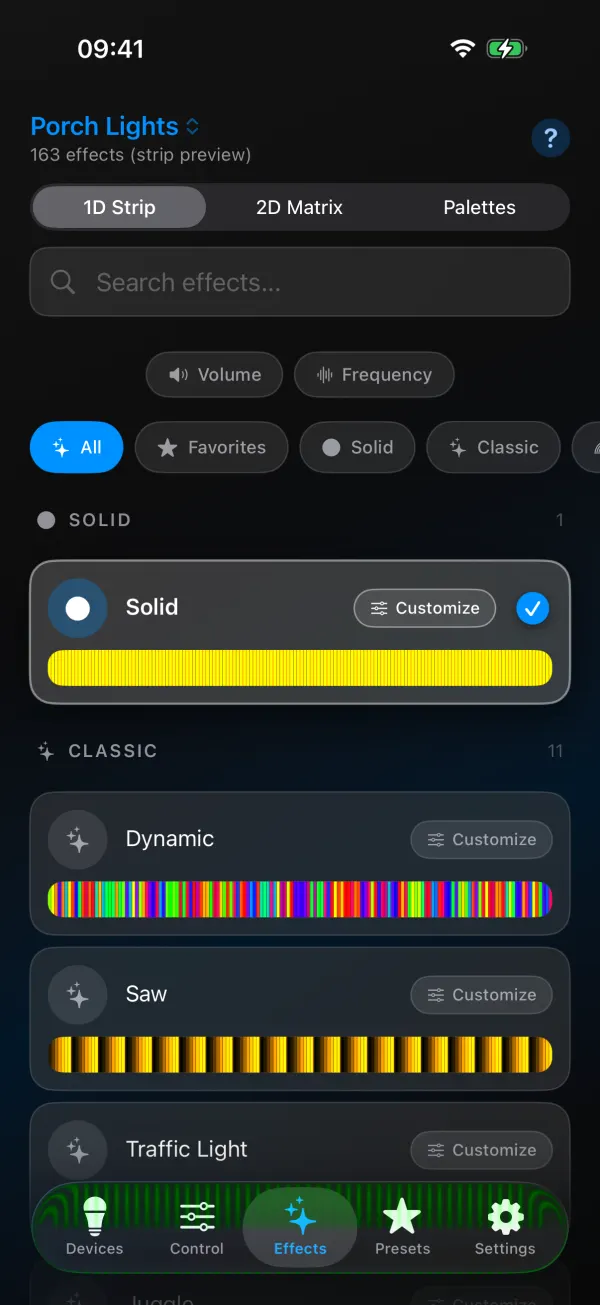
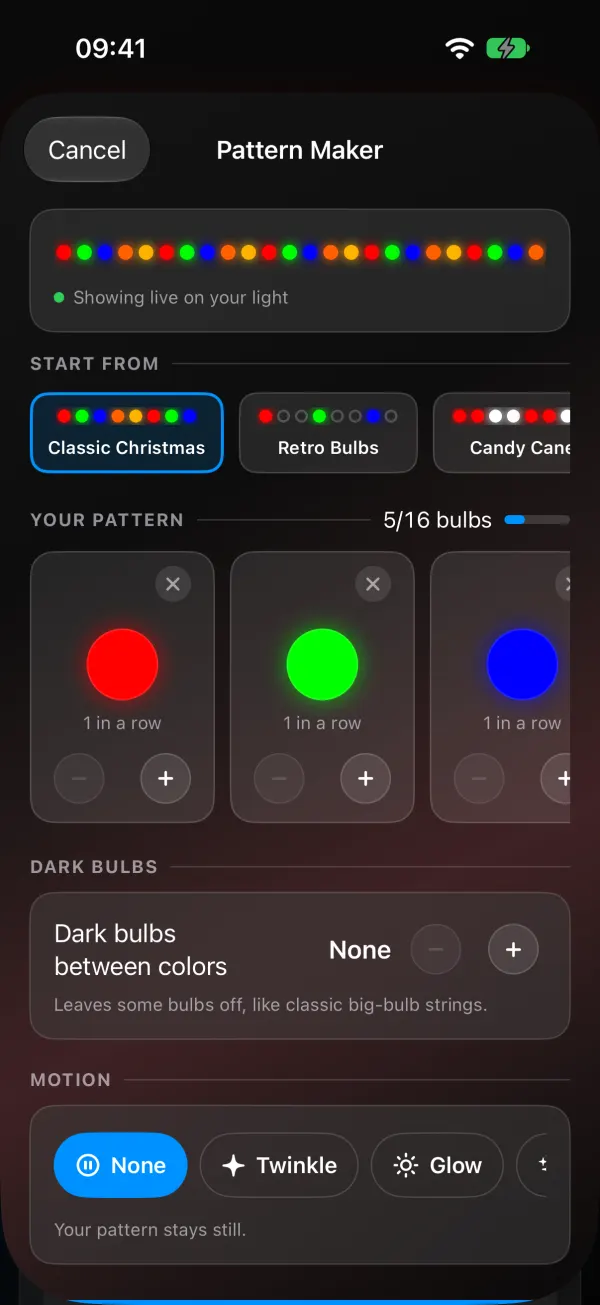
Strong points: live animated previews of the effects your firmware has, Segment Studio for drawing segments, Pattern Maker for repeating holiday patterns with templates, Snap a Palette (palette from a photo), Music Reactive with the phone microphone, Light Alerts (flash then restore), Circadian Mode, schedules, home screen widgets on both platforms, Siri and Shortcuts on iOS, Tasker/MacroDroid plugin and Quick Settings tile on Android, firmware updates that pick the right build for your board (with a two-step update for ESP02 boards that need it), and most WLED settings in native screens.
Weak points:
- Only one light is free. Groups and multi-light features need Premium to be useful.
- English only.
- Not every setting is native. Factory reset and some advanced options still need the web interface, and on lights with add-on hardware on I2C pins the app leaves some settings alone.
- Local network only. No remote access of its own (a VPN such as Tailscale works).
- Pattern Maker works on 1D strips only (not 2D matrices or white-only strips) and needs WLED 0.14 or newer.
- Platform gaps: iCloud sync is iOS only (no cloud sync on Android); app data export is Android only; the iOS widget has no effect buttons; no Apple Watch app or Control Center control; no Bluetooth or Improv setup.
- No custom firmware upload. It installs official releases only.
- Purchases don’t cross platforms. An App Store purchase does not carry over to Android.
Comparison table
Checked October 2026. “Yes” means the feature is built in, and “via” means possible through something else.
| WLED web UI | WLED Native | Home Assistant | WLED Max | |
|---|---|---|---|---|
| Price | free | free | free (self-hosted) | free for 1 light, one-time purchase for unlimited |
| Platforms | any browser | iOS, Android | web, iOS, Android apps | iOS, Android |
| Open source | yes | yes | yes | no |
| Account needed | no | no | Home Assistant user | no |
| Works without internet (on your Wi-Fi) | yes | yes | yes | yes |
| Remote access | via VPN | via VPN | yes (with setup) | via VPN |
| Auto discovery | n/a | yes | yes | yes |
| All lights in one list | Nodes list, one light per page | yes | yes | yes |
| Control many lights at once | via WLED sync | via WLED sync | yes | yes (Premium) |
| Effect previews | live strip view (Peek) | via web UI | no | animated preview of each effect |
| Segment editing | yes (forms) | via web UI | no | yes (visual) |
| Repeating holiday patterns | manual (segments) | via web UI | no | yes, templates (1.1.4) |
| Music from phone mic | no | no | no | yes |
| Schedules on the light | yes | via web UI | n/a (HA automations) | yes |
| Automations | timers only | no | yes, extensive | Shortcuts (iOS), Tasker/MacroDroid (Android) |
| Widgets | no | Android (version 7) | via HA companion app | yes |
| Firmware updates | upload page (WLED 16: Auto update) | yes (update assistant) | yes (update entity) | yes, picks build, ESP02 two-step |
| All WLED settings | yes | via web UI | no | most |
| Languages | English | iOS: English, French. Android: English, French, German, Chinese | many | English |
Which should you pick?
One strip at your desk. The web interface or WLED Native. Free, and you’ll rarely need more. If you want a widget, WLED Native on Android and WLED Max on both platforms have one. For Siri on iPhone, use Shortcuts (free) or WLED Max (free for one light).
A whole house with Home Assistant. Home Assistant for automations and dashboards. Use the WLED web interface or an app for designing looks, then save them as presets that Home Assistant calls.
A holiday roofline. Any of them can do it. In the web UI, repeating patterns take some segment math (we show it step by step in our Christmas and Diwali patterns guide). WLED Max’s Pattern Maker builds them from templates. Schedules on the light (sunset on, bedtime off) work with all options.
2D matrix art. The WLED web interface has the most control over 2D settings and matrix effects. WLED Max previews matrix effects and has a matrix view in Segment Studio. For pixel art and images, the web UI and dedicated tools are still ahead.
Music reactive. If your board has a microphone, every option works, because the light does the listening. Without a mic, you need something that sends WLED audio sync: another WLED board with a mic, or a phone app with that feature (see music reactive with your phone).
Sequenced shows synced to songs. None of these. That is xLights (free) or similar sequencing software, which WLED supports through E1.31, Art-Net and DDP.
Other apps
There are more third-party WLED apps, for example WLED+ (iOS, Mac and Android) and WLED Pro (iOS). We haven’t tested them for this article, so they are not in the table rather than described from guesswork. If you make one and want it included, tell us through the contact form and we’ll look at it for the next update.
How we compared
For the other options we used their store listings, official documentation and project READMEs as of October 2026, plus the WLED documentation at kno.wled.ge. WLED Max facts come from our own source code for version 1.1.4. We will update this page when things change, and correct anything that turns out to be wrong.
Update log: October 15, 2026, first version, written for WLED Max 1.1.4.
Related guides
- WLED Max free plan and Premium, explained
- Flash your WLED lights for the doorbell or laundry
- WLED OTA update on ESP8266 and ESP02
WLED itself is documented at kno.wled.ge.